
TL Pro
PixelCurvesAdventure
4.22.00K Reviews
- Version
- 1.63.0
- Installs
- 100.00K
- Age Rating
- Everyone
Screenshots
Our Review of TL Pro
 Analysis by Appyee
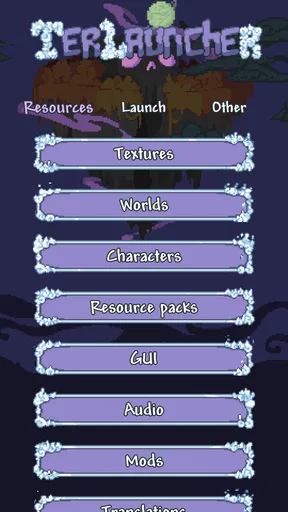
I see TL Pro as a companion for players who enjoy changing how Terraria looks and feels, rather than treating every session as a fixed, untouched adventure. Its tools are aimed at the game itself: textures, maps, cheats, and other customization. That focus can be exciting, but it also means this is not a general-purpose adventure game or a replacement for Terraria. It makes the most sense if you already play Terraria and want to shape your experience around your own interests and comfort.
That distinction matters when deciding whether to spend money on it. PixelCurves’ adventure game has a 4.2 average from around 26,000 ratings, and it costs $2.99. The age rating is Everyone, but that alone does not tell you whether its controls, reading, or visual changes will suit your needs. I would think of it as a specialized add-on for a particular kind of player: someone who wants more say over the presentation and tools around a Terraria session, and is comfortable trying settings carefully rather than expecting every choice to be automatic.
Readability and finding your way around
Customization can help with readability, but it can also make a familiar game harder to parse. A texture choice that looks appealing in a preview may change the contrast or visual prominence you rely on when distinguishing objects. I would test a new look in a low-pressure session before using it for a long playthrough. If important details become less clear, switch back rather than assuming that a more dramatic style is an improvement.
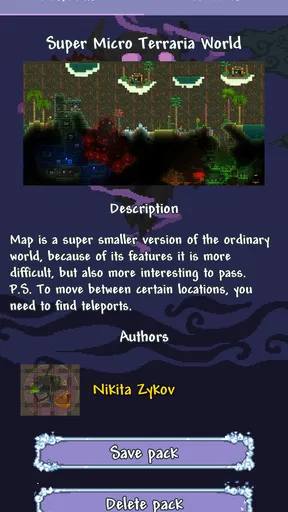
The map-related tools are especially useful for players who like to inspect a world instead of relying only on what they remember from exploring it. I would use them with a specific goal in mind—such as revisiting a place or getting a better sense of the world—rather than opening every tool at once. A focused workflow is easier to learn and makes it clearer which change is helping. If you prefer Terraria exactly as it appears by default, or do not enjoy experimenting with add-ons, the extra choices may feel like clutter rather than a benefit.
Getting Started with TL Pro
First things first, TL Pro is all about enhancing your Terraria game. It's like a Swiss Army knife for Terraria players. The app lets you access a treasure trove of mods, textures, and other in-game goodies. Setting it up was pretty straightforward, which is always a relief, especially if you’re not the most tech-savvy person. Just download it from the link provided on our site, follow the simple installation steps, and voila! You’re ready to dive into a world of endless possibilities.
Features that Stand Out
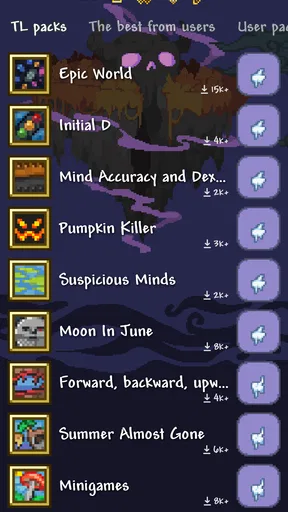
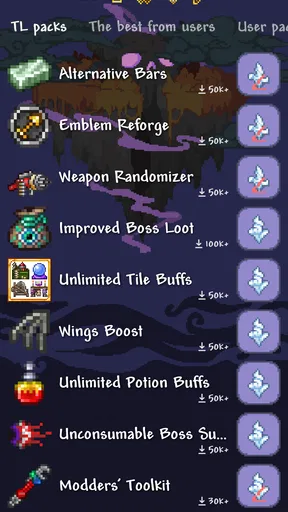
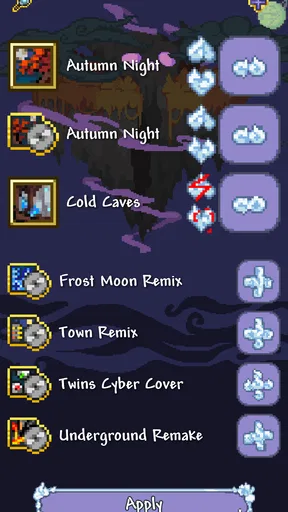
So, what makes TL Pro worth your time? For starters, the app allows you to manage your Terraria mods effortlessly. No more fiddling around with confusing file directories or worrying about compatibility issues. The built-in mod loader makes everything a breeze. I was particularly impressed by the texture packs. They add a fresh look to the game, making it feel like a brand-new experience.
But wait, there’s more! The app also includes a map viewer and editor, which is perfect if you’re someone who loves exploring every nook and cranny of your Terraria world. You can even customize your character with ease. It’s like having a backstage pass to all the cool stuff in Terraria.
Motor and sensory considerations
Changing the way a game looks is not the same as changing how it feels to control. For someone who has difficulty with quick, precise input, I would not assume that a texture pack or a map tool will make Terraria’s moment-to-moment play easier. Instead, the value here is in choosing what to inspect and how to prepare between active play segments. A map view can be a more deliberate way to orient yourself, while a visual change may help or hinder depending on contrast, familiarity, and personal preference.
There is a useful trade-off in keeping experiments small. Try one change at a time, then play briefly and notice whether important objects remain easy to distinguish and whether your usual route through the game still makes sense. If you change several things together, it becomes harder to identify what caused confusion or improved comfort. This is a practical way to explore customization without turning a favorite world into a frustrating test.
Performance and Usability
Okay, let’s talk about how it runs. I tested TL Pro on both Android and iOS devices, and it performed like a champ. The app is smooth and doesn’t hog your device’s resources, which is a huge plus. Nobody likes a laggy game, right? The user interface is intuitive, and I didn’t find myself scratching my head trying to figure things out. Everything is neatly organized, which made my experience all the more enjoyable.
Another thing worth mentioning is how the developers keep the app updated. They’re on top of their game, ensuring compatibility with the latest Terraria updates and constantly adding new features. It’s always nice to see an app that’s actively maintained.
Situational access and everyday play
For me, the best time to use customization tools is before a session, not while I am trying to concentrate on exploration. Imagine having a short break after work and wanting to continue a world without spending that time searching through unfamiliar options. Pick one goal beforehand—perhaps a different visual style or a closer look at the map—make that change, and then return to the game. Keeping setup separate from active play makes it easier to remember what you changed and to reverse it if the result is not useful.
This is also a better fit for players who share a device or play in short bursts. A small, deliberate adjustment is easier to explain to another person than a collection of changes whose effects are hard to track. If you are playing in a bright room, on a small screen, or while tired, familiar visuals may be more comfortable than a new texture set. I would save more experimental choices for a time when you can pay attention and switch back without pressure.
Compared with the usual alternative—playing Terraria as-is, or looking for separate ways to manage visual changes and maps—TL Pro’s appeal is having several kinds of customization gathered around the same game. That convenience is meaningful if you use these tools repeatedly. If you only want a different look once, or would rather avoid any setup beyond launching Terraria, the original experience is the simpler choice. Likewise, players seeking broad, general-purpose mods for many games should look elsewhere; this is specifically tied to Terraria.
Remaining barriers and practical trade-offs
The main barrier is not simply learning a menu; it is knowing what a change will do to a world and deciding whether that result is worth keeping. A map tool, texture change, or cheat can alter the way you approach a session, so I would avoid experimenting on a world where you care deeply about preserving your usual routine. Start with a less important session if you have one, and keep a mental note of the original settings. That simple habit makes it easier to judge a change fairly and return to familiar play.
There is also a compatibility question users naturally have: will a chosen setup behave as expected alongside the Terraria version they use? The app’s current version is 1.60.3, and it has been available since January 15, 2020, but those details do not guarantee that every individual customization suits every setup. I would make changes cautiously after a game update and check the result before investing a long session in it. That is not a reason to avoid the app; it is sensible housekeeping when modifying a game you care about.
For navigation and reading, the practical answer is personal testing. The Everyone age rating describes the audience rating, not whether every visual arrangement is comfortable for every player. I would not count on the tools to provide specialized accessibility controls. If you need a particular control scheme, high-contrast presentation, or a guaranteed way to reduce sensory load, choose a game or tool that clearly offers that support instead of assuming a texture or map feature will meet the need.
Who will get the most from it
I would recommend this to Terraria players who enjoy tinkering, want to revisit a familiar world with a different presentation, or like having map and character customization options close at hand. Its strongest case is repeated use: if you often want to adjust your play rather than accept one fixed setup, the paid price can feel more reasonable than a one-off novelty. The game has over 100,000 installs and around 2,000 written reviews, so it has attracted a substantial group of users, though popularity cannot tell you whether its approach fits your own habits.
On the other hand, skip it if you want a new standalone adventure, dislike changing a game you already know, or need a clearly documented accessibility solution. It is also not the right pick if your priority is avoiding setup and getting straight into unmodified Terraria. Those players may be happier staying with the base game, where fewer choices mean less to learn and less chance of disrupting a familiar routine.
Why You Should Give It a Try
So, why should you consider adding TL Pro to your app collection? Well, if you’re a Terraria fan, it’s a no-brainer. The app breathes new life into the game with its vast array of mods and customization options. It’s like having an all-access pass to the coolest Terraria mods out there. Plus, with how easy it is to use, you don’t need to be a tech wizard to get things running smoothly.
And hey, even if you’re new to modding, TL Pro makes it accessible and fun. It’s a great way to experiment with different styles and play the game in a way that truly reflects your personal taste.
If you’re ready to take your Terraria adventures to the next level, give TL Pro a shot. Trust me, once you see what it can do, you’ll wonder how you ever played Terraria without it.
Inclusive verdict
My recommendation is conditional but positive: this is a focused set of Terraria customization tools, not an accessibility package or a replacement for the game. Its map and appearance options may give some players a more comfortable or manageable way to approach particular sessions, while the same changes could make play less clear for others. Start with one modest adjustment, test it in a setting where you can take your time, and keep the original experience as your fallback. If that kind of hands-on choice appeals to you, the $2.99 cost buys a specific sort of flexibility; if you need predictable accessibility support or simply want to play without tinkering, I would pass.
Verdict
Strengths of TL Pro
- Intuitive interface for easy navigation.
- Customizable features enhance gameplay.
- Regular updates and bug fixes.
- Supports various mods seamlessly.
- Lightweight and doesn't strain device memory.
Limitations of TL Pro
- Limited support for older devices.
- Occasional crashes with large mods.
- Some features require in-app purchases.
- User community support can be sparse.
- Initial setup can be time-consuming.
Similar Picks in This Category
View All
Roblox
Roblox Corporation4.2

Pokémon GO
Niantic, Inc.3.5

Ninja warrior: legend of adven
TOH Games4.6

Ninja Arashi
Black Panther4.6

Eyes - The Horror Game
Fearless Games sp. j.4.5

Critical Action:Gun Strike Ops
FPS Shooter & Action Game4.3
Frequently Asked Questions
What is TL Pro and how does it enhance my Terraria experience?
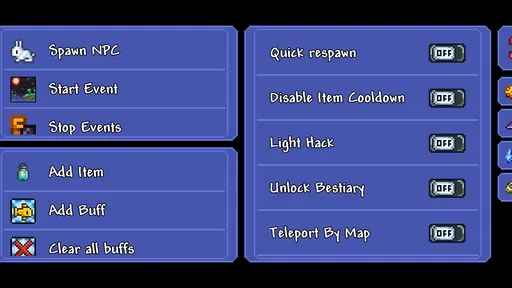
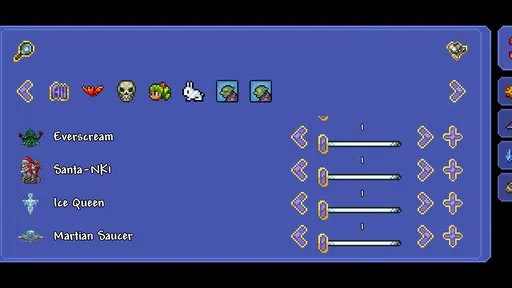
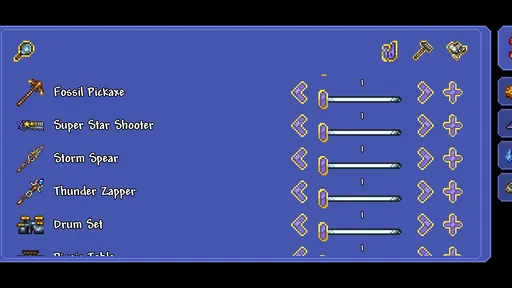
TL Pro is a powerful toolbox app designed for Terraria enthusiasts. It offers a variety of features that enhance gameplay, such as custom map creation, unlimited resources, and the ability to add new items and characters. This app is perfect for players looking to explore Terraria with added customization and convenience.
Is TL Pro safe to use with Terraria?
Yes, TL Pro is generally safe to use with Terraria. However, it’s important to download the app from trusted sources to avoid malware. Additionally, using third-party apps can sometimes lead to game instability or compatibility issues, so it’s advisable to back up your game data before using TL Pro.
Does TL Pro require root access on Android devices?
No, TL Pro does not require root access to function on Android devices. It is designed to work seamlessly without needing to modify your device’s root settings, making it accessible for all users who wish to enhance their Terraria gameplay without technical modifications.
Are there any in-app purchases or ads in TL Pro?
Yes, TL Pro does include in-app purchases and ads. The free version of the app is ad-supported, and users can choose to make purchases to remove ads and unlock additional features. This model allows developers to continually update and support the app.
How do I update TL Pro to the latest version?
To update TL Pro, visit the official app store where you initially downloaded it, either the Google Play Store or the Apple App Store. Check for updates under your app management settings. Regular updates ensure that you have the latest features and bug fixes, enhancing your Terraria experience.
Play our best games!


